Folders & Tidy Up
Right-click. Your project organizes itself.
Structure shouldn't require discipline.
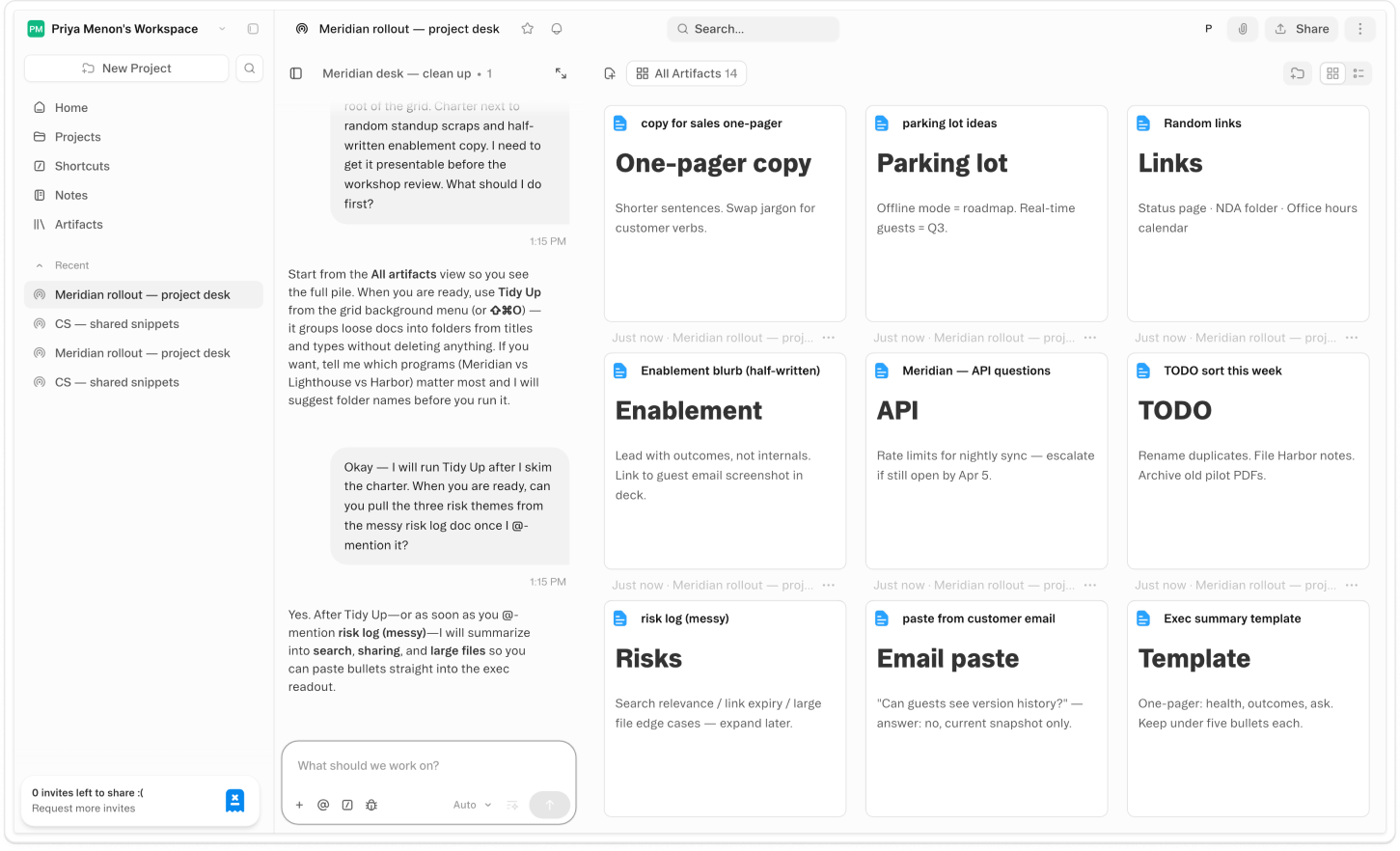
About Folders & Tidy Up
Create folders in your project sidebar, name them, nest them, and drag artifacts in. A launch project might have a folder per deliverable. A research project might have one per source. The structure is yours — Obvious holds whatever hierarchy fits how you think. Move artifacts by dragging, right-clicking, or @mentioning a folder name directly in chat.
Right-click anywhere in the project and select Tidy Up. The agent reads what's in your project, infers a sensible structure based on your actual artifacts, and reorganizes everything into named folders. It's not a rigid template — it makes judgment calls. The result is a navigable project, without the overhead of building the structure manually.
The more you build, the harder a flat project is to navigate — briefs, drafts, assets, old versions, all at the same level. Folders give you a way to impose structure without stopping to maintain it. And when the pile gets too big to ignore, Tidy Up handles it in one move. Structure shouldn't be a reward for discipline. It should be available to anyone, at any point, in any state of mess.
Videos
Shortcuts
One-click prompts to try this feature
Project Tidy Up
Organize your project artifacts into a sensible folder structure in one move
Prepare to Share
Clean up the project so a new collaborator can orient in under a minute
Start With Structure
Get a folder plan before you start building — so the project is organized from the first artifact
FAQ
Get help with Folders & Tidy Up
Find guides, tutorials, and support articles in our help center.
Visit help center →