Rating Field
You already know how you feel. Your data doesn't.
A rating field that produces structured data
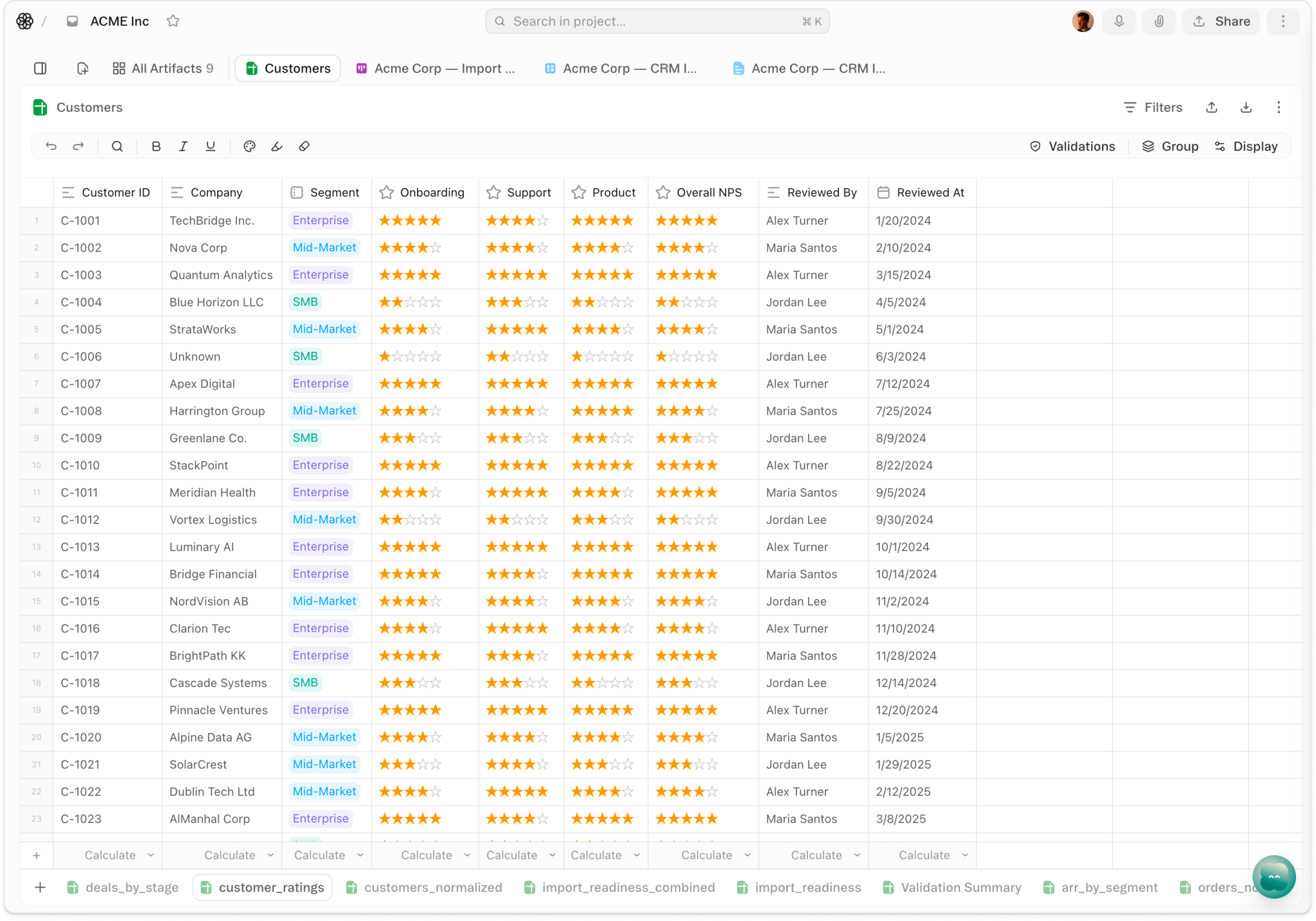
About Rating Field
One click counts. Rating Field is the field type that turns a star click into a structured value — stored as an integer from 0 to 5, rendered as stars in any sheet, and immediately visible to every teammate in the row. Add it to any sheet the same way you'd add a date or a status: name the field, choose the type, and start clicking. The score appears in the cell; the data is already in the workspace.
Sort, group, ask. Once the field exists, the workspace treats it like any other structured column. Sort your candidate sheet by Fit rating descending and the top three rise immediately to the top. Group a vendor log by Quality score and you get up to six buckets, from unrated to five stars, without writing a formula. Rate in form view the same way you would in the sheet. And when you want analysis, ask the agent: it reads rating values as integers, so "which vendors are averaging below 3 stars?" is a question it can actually answer.
Data, not decoration. Ratings in most tools are display objects — a number rendered as stars so a human can read it. In Obvious, a rating is a structured signal with the same standing as a date or a status value: something sortable, something filterable, something an agent can reason about. When a hiring manager clicks four stars on a candidate, they're not just logging a feeling — they're producing a data point with consequence. Subjective quality becomes a first-class dimension in the workspace, one that shapes what the team sees next and what the agent does with it.
Videos
Shortcuts
One-click prompts to try this feature
Interview Day Ratings
Add a Fit rating to your candidate sheet, score each interview with a click, and ask the agent to surface your top three.
Vendor Quality Check
Log a quality rating after each vendor interaction and ask the agent to flag any suppliers falling below your standard.
PM Priority Queue
Rate features in your backlog as you review them, then let the agent pull your highest-rated items to the top.
FAQ
Get help with Rating Field
Find guides, tutorials, and support articles in our help center.
Visit help center →